Renamer.ai
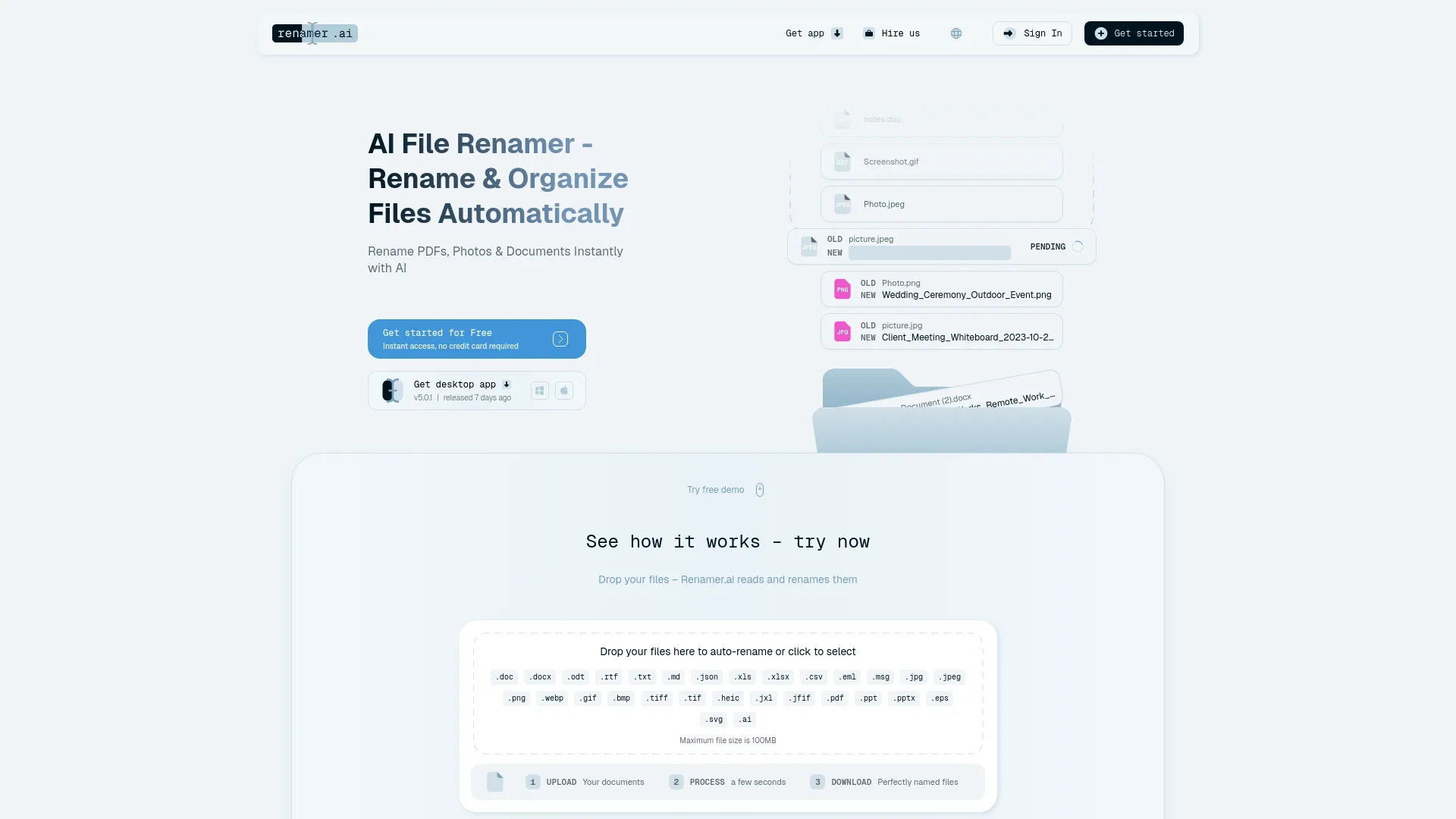
Renamer.ai is an AI-powered file renaming tool that automatically renames and organizes PDFs, photos, and other files by analyzing their content, eliminating the need for manual, time-consuming file naming work.
Core Capabilities
Renamer.ai uses content analysis to generate descriptive, searchable filenames, rather than relying on basic rule-based pattern matching. It supports 30+ file formats spanning documents, images, spreadsheets, presentations, and email files.
Key functionality includes:
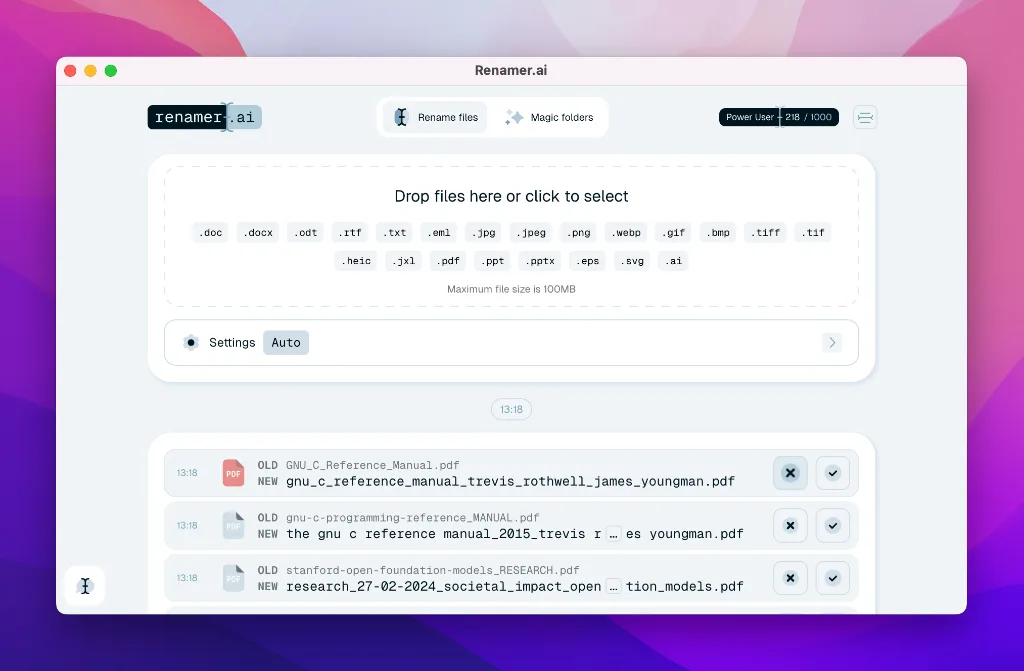
Bulk renaming to process multiple files simultaneously
Magic Folders automation that monitors designated folders and renames incoming files automatically in the background
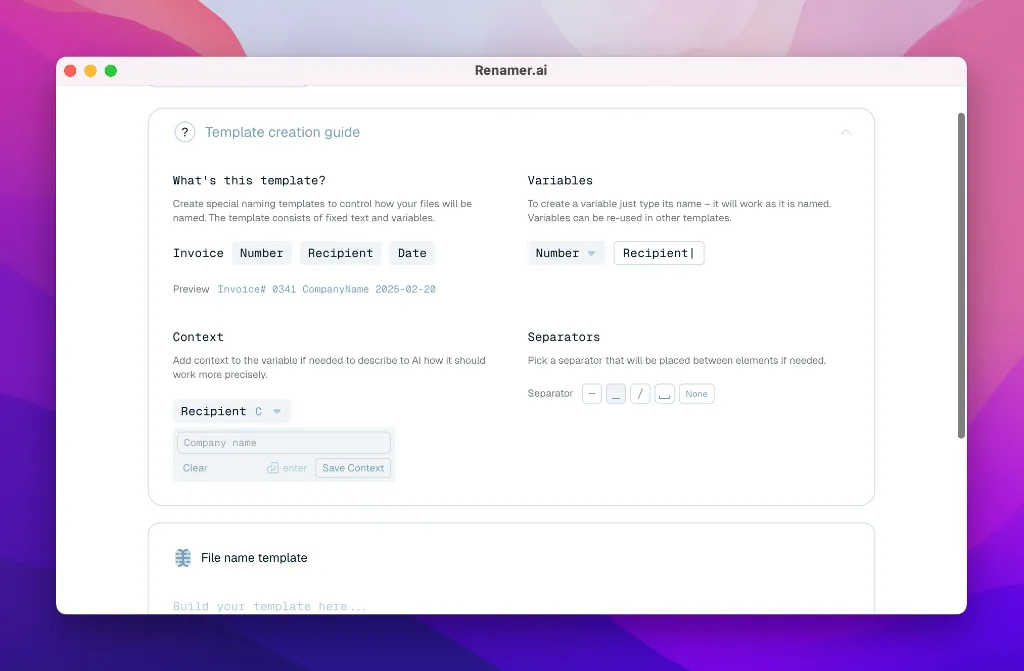
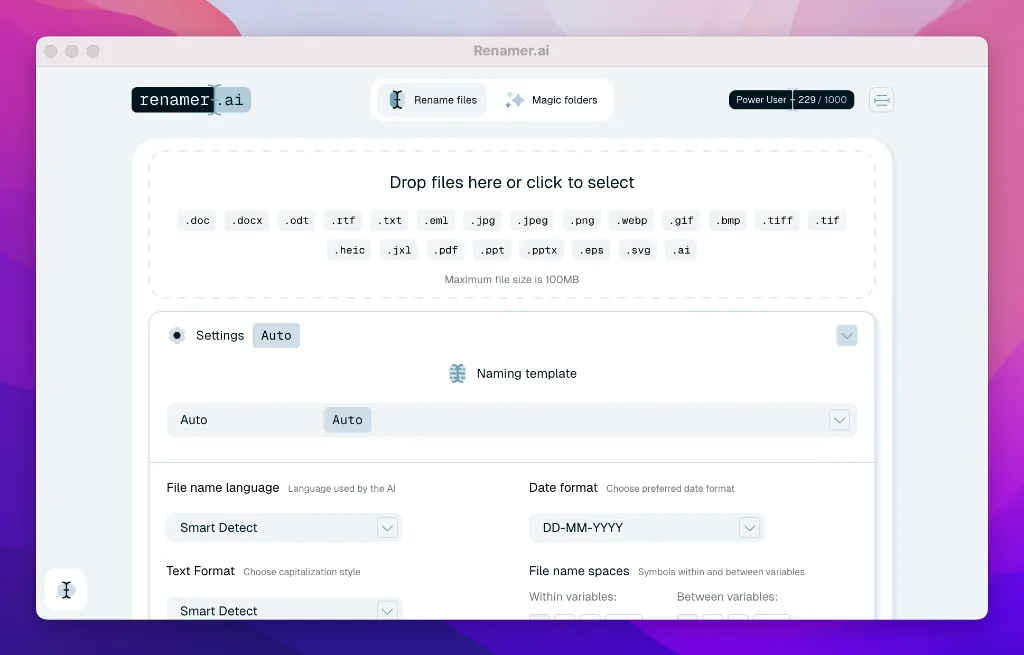
Custom naming templates that let users define naming conventions using variables like document type, dates, company names, invoice numbers, and project details, with pre-built templates available for common use cases
OCR technology that reads content from scanned documents to generate accurate filenames
Multilingual support for 20+ languages, with automatic language detection for international workflows
Preview and undo functionality to review proposed name changes before applying them, and reverse any edits if needed
API access for custom workflow integrations with existing tools
Support for individual files up to 100MB in size
Scalable performance that works for personal use cases up to managing thousands of documents for large teams
Enterprise-grade encryption to protect file content during processing. The web version stores uploaded files temporarily for up to 24 hours to allow users to download renamed copies, while the desktop app does not store any files locally or on servers after processing completes.
Supported Workflows
Users can get started with Renamer.ai in three simple steps: upload files via the web interface or desktop app, let the AI process content in seconds, then download the fully renamed files.
For ongoing automation, users can enable Magic Folders for locations like their downloads folder, shared team drives, or client drop folders, so any new files added to the location are renamed automatically without manual input. Teams can align on consistent naming conventions using shared custom templates to ensure all files follow the same organizational standards. The API can be used to connect Renamer.ai to cloud storage platforms, document management systems, accounting software, or other existing internal tools to embed automated renaming directly into existing workflows.
For large-scale projects, custom services are available for mass file reorganization, workflow design consultation, and dedicated support for complex document cleanup tasks.
Target Audiences
Renamer.ai is built to serve a wide range of users across use cases, including:
Accounting teams and tax accountants organizing invoices, receipts, and client tax documents
Marketing agencies, creative teams, and freelance designers managing large libraries of client assets, photos, and project files
Digital asset managers maintaining consistent, searchable naming for large media libraries
Academic researchers organizing multilingual research papers and data sets from international collaborators
IT systems administrators looking to reduce file-related support tickets and improve document compliance across organizations
Small to large organizations of all sizes, plus self-employed individual users looking to eliminate manual file organization work.
Pricing
Renamer.ai operates on a freemium model with no long-term contracts, and users can cancel their subscription at any time:
Starter Plan: Free, includes 25 free renames per month, full access to the desktop app, bulk renaming, Magic Folders, and normal email support
Pro Plan: $9.95 per month, includes 200 files per month, all Starter features, and normal support
Power User Plan: $29.95 per month, includes 1000 files per month (a 40% savings compared to purchasing equivalent Pro access), enhanced AI renaming, and priority support
Ultimate Plan: $99.95 per month, includes 5000 files per month, all Power User features, and priority support
Custom plans are available for users with unique requirements, including support for processing more than 5000 files per month and dedicated custom integration services.
Limitations
The free Starter Plan is limited to 25 renames per month
The maximum supported file size for all plans is 100MB per individual file
AI renaming accuracy may be reduced for handwritten text or very low-quality, blurry scans
The web version of the tool retains uploaded files temporarily for up to 24 hours before automatic deletion
The desktop app requires installation on a Windows or Mac device, and is not supported for other operating systems.





Comments