
Videogif.app - Convert Video to GIF Free, Fast & High Quality, no watermarks and no signup required
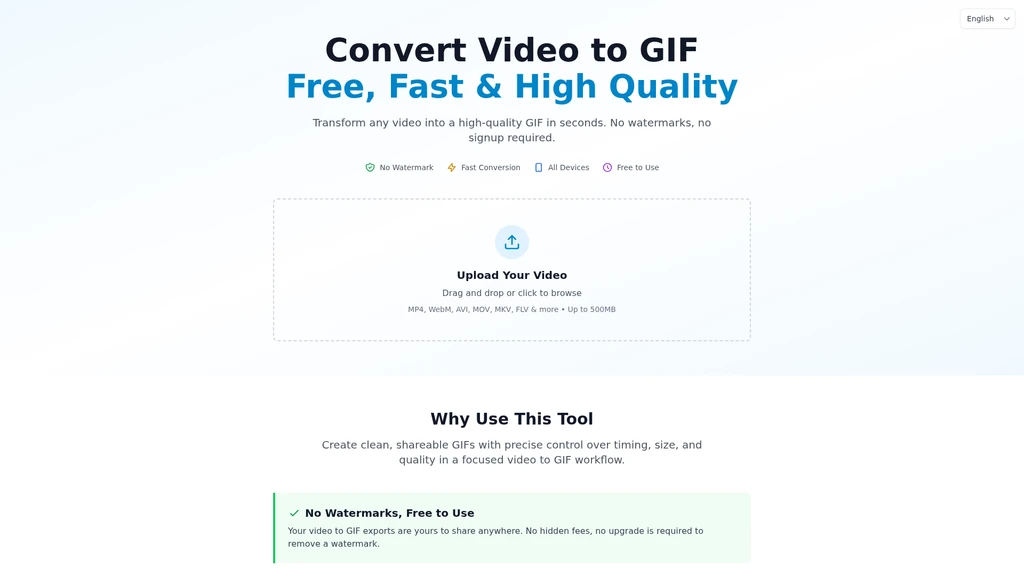
Launched on Sep 9, 2026Videogif.app is a browser-based free video to GIF converter that lets users turn videos up to 500MB into high-quality, watermark-free animated GIFs. It works on all desktop and mobile devices, with no account creation or payment needed to access all features. The tool is built for content creators, social media managers, software teams, educators, and anyone who needs to make shareable GIF clips quickly for Discord, Twitter, Slack, emails, and other platforms.
Core Features
Videogif.app runs all conversion work on remote servers, so it does not freeze your browser during processing even for large files up to 500MB. Most short clips finish conversion in 10 to 30 seconds.
All exported GIFs have no watermarks, no required attribution, and no license fees for commercial use. The tool works on every major operating system including Mac, Windows, iPhone, Android, and tablets, with a mobile-optimized touch-friendly interface.
Editing and Privacy Tools
The built-in editing controls let you trim video segments, crop frames, pick from four quality presets, and apply a real-time mosaic brush to blur sensitive areas such as faces or license plates before conversion. The four quality presets automatically adjust frame rate, color palette, and compression level:
Smallest File and Smaller File presets reduce output size by up to 90% to fit platform limits for Discord (25MB), Twitter (15MB), Slack, and email attachments
Higher Quality and Best Quality presets use advanced palette generation and Floyd-Steinberg dithering to keep edges and colors crisp for HD and 4K source footage
All uploads and downloads use HTTPS encryption. Your uploaded file is stored in temporary server storage only for the conversion process, and all temporary files are permanently deleted within 10 minutes after the GIF export finishes.
Supported Use Cases
Marketing and Social Media
Create looping highlight clips for Twitter/X feeds, animated content for Instagram Stories, product demo walkthroughs, and before/after comparison animations without switching between multiple editing tools.
Professional Communication
Make step-by-step animated tutorials that autoplay in emails and chat threads, share clear animated bug reports for development teams, and generate custom reaction clips for Slack and Discord team channels. You can also add small animated GIF elements to email signatures to showcase portfolios or work samples.
Gaming and Entertainment
Convert gameplay highlights, speedrun moments, funny Twitch or YouTube reaction segments, and favorite movie/TV scenes into shareable clips you can edit into meme content.
Education and Creative Projects
Turn recorded science experiments, art technique demonstrations, sports analysis footage, and music instruction videos into frame-by-frame animated GIFs that are easier to embed in documents and learning materials than full video files.
Supported Video Input Formats
The tool accepts all common video formats without requiring pre-conversion: MP4, MOV, AVI, WebM, MKV, WMV, FLV, and more.
Workflow
You can complete a full GIF export in three steps:
Drag and drop a video file, or browse your device storage to select the clip you want to convert
Adjust your settings: pick a quality preset, trim the desired segment, crop the frame, and use the mosaic brush to mask any sensitive areas
Run the conversion and download the final watermark-free GIF once processing finishes
Service Limitations
The current public version supports individual files up to 500MB, with a maximum two-minute processing ceiling for longer clips. No account, email address, or payment information is required to use all available features.
Related Content

Copy.ai Review 2026: AI Copywriting Made Easy
Our honest Copy.ai review for 2026. We test Content Agents, AI Workflows, pricing ($29-$249/mo), and compare it to Jasper and Writesonic. Find out if it's worth it for your marketing team.

Rytr Review 2026: Is This Budget AI Writer Worth It?
Our hands-on Rytr review for 2026. We test features, pricing, content quality, and compare it to Jasper & ChatGPT. Find out if Rytr is the best budget AI writing tool.
Word Changer - Free AI tool to rewrite and improve your writing instantly
Writing always using repetitive words or need to avoid plagiarism? Word Changer is a free AI writing assistant that instantly rewrites any text with richer vocabulary and appropriate tone. Get multiple versions with one click, adjust formality level, check readability - all for free!
Unite - AI-powered platform for romantic fantasies and dream couple moments
Explore romantic fantasies and create special moments for your dream couple. This AI-powered platform lets you generate personalized romantic content and experience exclusive AI-created romantic experiences.
Comments