How It Works
"In a world where screen recordings feel like outdated PowerPoint slides, Supercut emerges as the design-forward solution that makes your team look like video pros – no editing degree required."
🎥 Beyond Basic Screen Recording
Let's be honest – most screen recording tools feel like they haven't evolved since the Windows 95 era. That's where Supercut changes the game. It's not just another "record and share" tool; it's a complete communication platform wrapped in beautiful design.
Key differentiators:
- 🏎️ Speed: From recording to sharing in literally three clicks
- 🎨 Design-first approach: No ugly interfaces or clunky workflows
- 🤝 Team-friendly features: Built for collaboration, not just solo creators
✨ Why Design-Driven Teams Are Obsessed
```mermaid pie title Why Teams Choose Supercut "Beautiful UI" : 35 "Instant Sharing" : 25 "Smart Features" : 40 ```
The LinkedIn post from Robert Munoz (Typeform co-founder) nailed it: "Supercut combines great design and simplicity, and it does it really, really fast." This isn't just marketing speak – the product delivers.
Professional Features That Matter
- Brand-Conscious Layouts
No more sending clients recordings with your messy desktop in the background. Supercut lets you maintain brand consistency across all your screen shares.
- Smart Navigation with Auto-Chapters
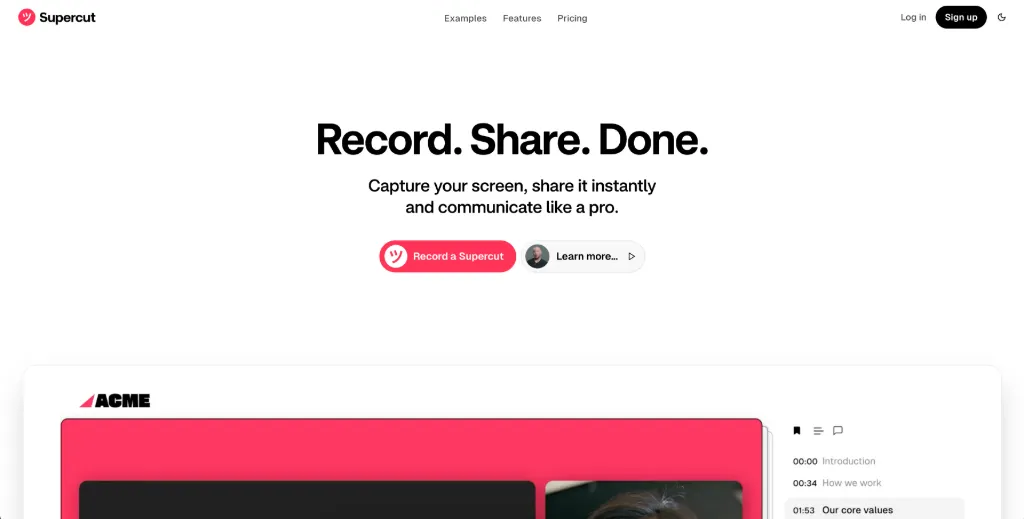
Ever tried to find one specific moment in a 10-minute screen recording? Supercut's auto-chapter feature organizes your content like a pro podcast:
```
00:00 Introduction
01:32 Unified Dashboard
03:45 Integration Setup
```
- 4K Recording
Because pixelated screenshares shouldn't exist in 2025.
🚀 Workflow Magic: From Recording to Action
Supercut understands that sharing isn't the end goal – getting things done is. That's why they've built in features like:
- Document Generation
Need meeting notes? Click "Generate a Document" and get a formatted summary instantly.
- Timeline Comments
No more "at 3:27 in the video..." emails. Comment directly on specific moments:
"Hey Charlie this is great but I think you should tweak it to make sure it does not clash with the current vision."
- View Tracking
Know exactly who watched your recording and for how long.
💡 Pro Tip: How Top Teams Use Supercut
The YouTube tutorial reveals some power user moves:
- Use private links for internal reviews
- Create chapter markers before sharing
- Combine with your existing tools via their API
🏆 Why This Isn't Just Another Screen Recorder
As Koen Bok (co-founder) puts it: "Supercut is the best screen recorder." But that undersells it. It's really:
- A client communication tool
- An async meeting platform
- A documentation generator
- All wrapped in an interface that doesn't make you want to scream
🎬 Ready to Upgrade Your Screen Sharing?
The best part? As their YouTube video shows, it's entirely free to start. No watermarks, no "pro version" bait-and-switch – just professional screen sharing from day one.
Next Steps:
Because in 2025, your screen recordings should look as professional as the rest of your work.
Features
- High-quality recording: Record your screen in up to 4K resolution for crystal-clear visuals.
- Instant sharing: Share recordings publicly or privately with just a few clicks.
- Auto-chapters: Smart navigation with auto-generated chapters for easy reference.
- Team collaboration: Enable your team to record and share like professionals.
- Engagement tracking: Track views and engagement on your shared recordings.




Comments