What is Papervine
If you’ve ever spent hours manually updating documentation pages, sifting through scattered search results that miss key code snippets, or answering the same repetitive support questions about your product docs, you know how much valuable team time gets wasted on documentation maintenance. These are the exact pain points Papervine was built to solve: an AI-powered self-updating knowledge platform that comes in both open source self-hosted and fully managed hosted editions, designed for teams that want high-performance documentation without the heavy lifting.
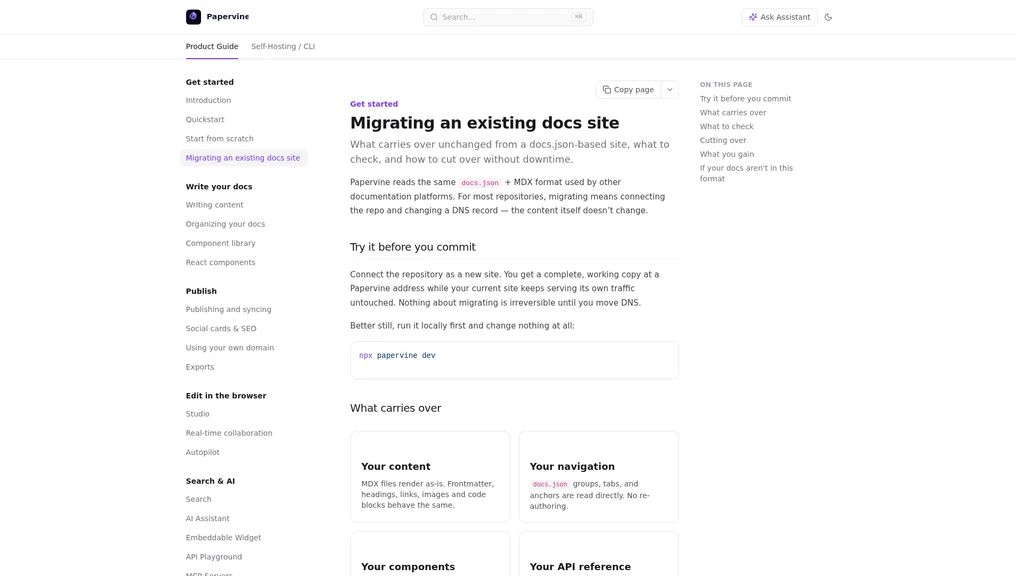
Unlike many traditional doc platforms that force you to rebuild your entire existing library from scratch, Papervine positions itself as a fully functional Mintlify alternative with 100% compatibility for standard docs.json config files that most modern documentation sites already use. You don’t need to rewrite a single paragraph of your existing work to move over, and the whole migration process typically takes only a few minutes to complete. One of the most user-friendly unique perks is that you don’t even need to create an account to try the full live editor and demo docs site right away, so you can test all core features before making any commitment.
Zero-rewrite migration for existing docs.json sites, ready to use in minutes
Built-in AI site assistant that lets visitors ask questions and get cited answers directly from your docs
Full open source self-hosted option available alongside the managed hosted version
No account required to test the full live editor and all platform features on the official site
Papervine core features
Papervine is designed to put user value first, with every feature built to cut down the friction of creating, maintaining and using high quality documentation. You can build a fully functional documentation website in no time, with native built-in search, interactive API reference support, and full custom domain options that mean you don’t need to stitch together 3+ separate services to launch a professional docs hub. You can simplify every page update via the visual three-panel browser editor that comes with a dedicated editing assistant, and every single change you make is published directly as a commit or pull request to your connected code repo, so your existing version control workflow stays completely intact.
You can integrate the AI site assistant across all your pages using a single simple script snippet, and all your site visitors get instant, accurate answers to their questions that automatically link back to the exact original doc pages as citations — no visitor login required at all to use this feature. You can also enable granular access control by marking pages as private with just one line of code at the top of the file, and all reader authentication runs through your existing identity provider, so Papervine never stores any of your user passwords on its servers. The unified cross-page, cross-heading, cross-code-block search eliminates scattered results entirely, and it automatically reindexes every time you update your docs, so you never need to set up and maintain a separate external search service.
Extremely low learning curve for teams already familiar with docs site workflows, no new tools or complex training required
Full compatibility with almost all existing standard documentation repos, no full site rewrites needed during migration
All core editing and publishing tools run directly in the browser, no local software installations required for your whole team
Limited native support for non-standard custom documentation formats that do not use the common docs.json configuration structure
Advanced custom theme styling requires basic web development knowledge for full customization
Who is using Papervine
Papervine is built to fit the real-world needs of a wide range of teams and individuals who work with technical documentation every day. If you are part of a developer team that previously used Mintlify for your documentation, you can migrate all your existing pages in minutes without any full rewriting work, so you don’t lose any of your existing SEO rankings or well-written content during the switch. For open source project maintainers, Papervine lets you set up public interactive API docs by simply importing your existing OpenAPI spec file, cutting out hours of repetitive manual documentation writing work for every endpoint.
Internal knowledge base teams working on sensitive technical documentation can configure granular private page access controls to share internal docs securely across the company, without risking leaks to external visitors. Customer support teams that embed the AI doc assistant on their public product sites report that it can cut down 40% of repetitive routine support ticket enquiries, because most users can find the exact answers they need directly from the docs without contacting the team.
Before you move your entire existing documentation library over to Papervine, take 5 minutes to go through the official step-by-step migration guide at https://docs.papervine.io/guides/migrate — it covers all edge cases and will help you finish the process in under 10 minutes even for large docs repositories.
How to get started with Papervine
Getting your first Papervine knowledge site up and running takes less than half an hour, even if you have never used a modern documentation platform before. The first step is to visit papervine.io and start using the full online live editor immediately, with no registration or account creation required at all to test every core feature. Second, you just point the platform to your existing documentation repo that uses a standard docs.json config file, and Papervine will render all your existing pages with zero changes needed to your original files.
Third, import your OpenAPI spec file to let the system automatically generate full interactive API documentation, complete with request and response examples right in the site navigation. Fourth, you can configure your own custom domain with fully automatic HTTPS to serve your docs, or just use a free Papervine subdomain to skip all DNS setup completely if you want to launch right away. The final step is to add the short AI assistant script snippet to your site header to enable the question answering feature for all your visitors immediately.
After your site goes live, remember to turn on the built-in analytics and crawler view feature. This will let you track the top search terms your visitors are using, see which pages get the most views, and preview exactly how search engine crawlers see your documentation to optimize your SEO performance over time.
Papervine ecosystem and integration
One of the biggest strengths of Papervine is how seamlessly it slots into your existing development workflows, instead of forcing your team to adapt to a whole new set of disconnected tools. It offers full native integration with your existing GitHub and GitLab repository workflows, which means every edit made in the browser-based visual editor is saved directly as a commit or pull request back to your connected repo, so you never lose version history or break your existing CI/CD pipelines that work with your docs.
If you are moving over from Mintlify, the platform supports completely seamless import of full Mintlify projects, with zero file structure changes required to get all your pages live immediately. The built-in browser-based collaborative editing workspace lets your whole distributed team work on documentation updates together in real time, with no need to send files back and forth or manage conflicting local copies. The native crawler view tool is a huge time saver for technical writers and SEO teams, letting you instantly check the SEO performance of every documentation page and identify any content that might not be getting indexed properly by search engines.
Frequently asked questions
No, Papervine is fully compatible with standard docs.json config files that most modern documentation sites already use. You can migrate all of your existing content with zero rewrites in just a few minutes by following the official step-by-step migration guide.
No, Papervine never stores any user passwords on its servers. All authentication for private pages runs through your own existing identity provider, so you maintain full control over all your user credential data.
Yes, you can use the full live editor and all demo functions directly on the official Papervine website right now, with no registration, email verification, or credit card required to test every core feature.
Yes, Papervine is 100% open source, you can deploy the entire platform on your own private infrastructure completely for free if you need full data control for sensitive internal documentation.
The AI assistant automatically indexes all your published documentation pages, and every single answer it generates comes with direct, verifiable citations that link back to the exact original source pages in your knowledge base.






Comments