Context-aware reply generation
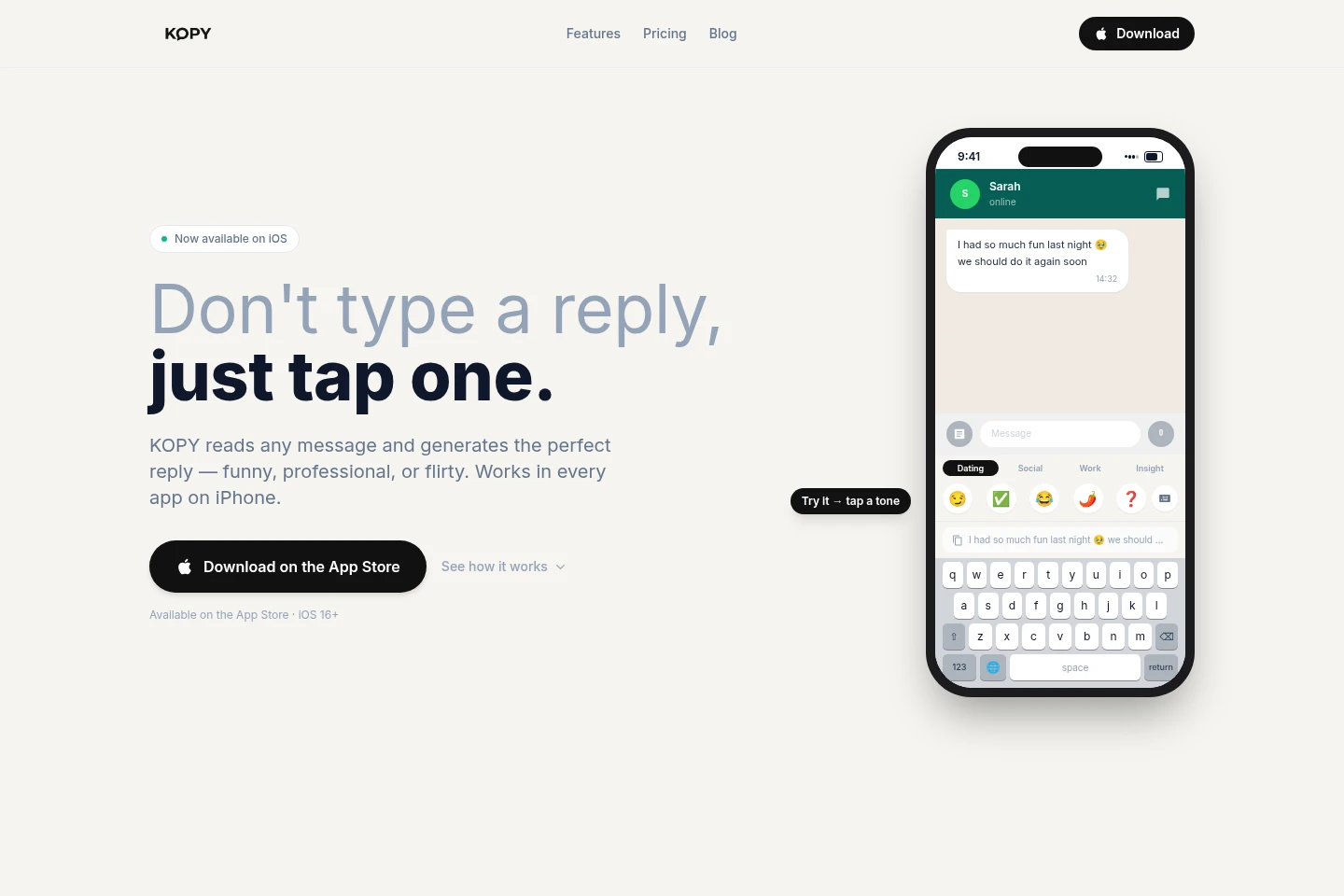
Generates a reply for a message and inserts it into the current text field. The user copies a received message, chooses a mode and tone, and taps Generate; an internet connection is required.
Four conversation modes
Produces replies tailored to Social, Insight, Work, or Dating conversations. The selected mode guides the reply for contexts such as group chats, forums, email, workplace messaging, or dating apps.
Ten reply tones
Offers ten tones that can be combined with any of the four modes, for 40 mode-and-tone combinations. Tones include Agree, Disagree, Funny, Insight, Neutral, Rizz, Spicy, Question, Continue, and Professional.
Custom iOS keyboard
Provides a keyboard that can be enabled in iPhone keyboard settings and switched to with the globe button. It works in iOS apps with text fields, and inserts generated replies directly into the field.










Comments