

- Monthly visits
- 0
- 2026-10
Dropgala - Capture and organize screenshots effortlessly
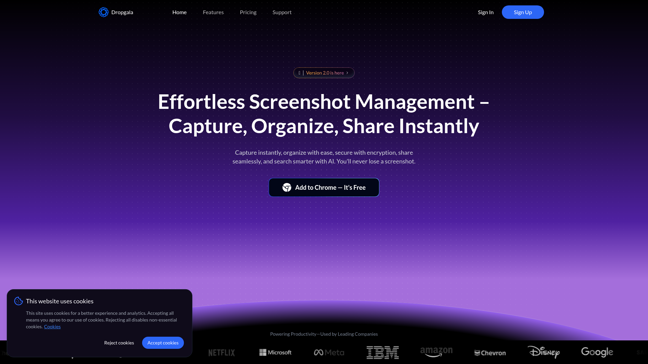
Dropgala is an AI-powered screenshot manager for Chrome that simplifies capturing, organizing, and sharing screenshots. With features like AI-powered search, OCR text extraction, smart folders, and secure cloud storage, Dropgala ensures you never lose an important screenshot again. Designed for productivity and security, it enhances collaboration and efficiency for individuals and teams.
- AI Productivity
- File Organization
- AI screenshot manager
- Chrome screenshot tool
- organize screenshots

How It Works
"Ever found yourself drowning in a sea of screenshots, desperately searching for that one important image you took last week? That's where Dropgala comes in—your AI-powered lifeline for screenshot chaos."
What is Dropgala? The Smart Screenshot Manager You Didn't Know You Needed
The Screenshot Dilemma We All Face
Let's be honest—we've all been there. Your desktop looks like a digital warzone, cluttered with dozens of unnamed screenshots. You need to find that one important image from last month's project, but it's like searching for a needle in a haystack. Enter Dropgala, the Chrome extension that's revolutionizing how we handle screenshots.
Dropgala at a Glance
pie
    title Why Users Love Dropgala
    "AI-Powered Search" : 35
    "One-Click Organization" : 25
    "Military-Grade Security" : 20
    "Seamless Sharing" : 20
At its core, Dropgala is an AI-powered screenshot manager that lets you:
🚀 Capture screenshots instantly with one click
🗂️ Organize them effortlessly with smart folders and tags
🔍 Find anything in seconds using AI search
🔒 Keep everything secure with end-to-end encryption
🤝 Collaborate seamlessly with team workspaces
The Game-Changing Features
1. AI That Actually Understands Your Screenshots
Dropgala's AI capabilities go beyond basic search. It can:
Extract text from images using OCR (Optical Character Recognition)
Generate summaries of screenshot content
Understand context to find related images
Recognize patterns in your screenshot habits
2. Organization That Makes Sense
Forget endless scrolling through your downloads folder. Dropgala offers:
Customizable folders and subfolders
Smart tagging system
Color coding options
Batch organization tools
3. Security You Can Trust
In an era of data breaches, Dropgala provides:
End-to-end encryption
Optional password protection
Auto-expiring screenshots for sensitive info
Controlled access settings
Who Needs Dropgala? (Spoiler: Probably You)
graph TD
    A[Professionals Who Benefit] --> B[Developers]
    A --> C[Designers]
    A --> D[Customer Support]
    A --> E[Researchers]
    A --> F[Educators]
    A --> G[Content Creators]
Whether you're:
A developer documenting UI issues
A designer collecting inspiration
A customer support agent troubleshooting problems
A researcher compiling visual data
An educator creating training materials
...Dropgala can transform how you work with screenshots.
The Dropgala Difference: Beyond Basic Screenshot Tools
What sets Dropgala apart from your browser's built-in screenshot tool or random desktop apps?
Feature | Basic Tools | Dropgala |
|---|---|---|
AI Search | ❌ No | ✅ Yes |
OCR | ❌ No | ✅ Yes |
Cloud Sync | ❌ No | ✅ Yes |
Team Sharing | ❌ No | ✅ Yes |
Security | ❌ Basic | ✅ Military-grade |
Organization | ❌ Manual | ✅ Smart AI |
Real-World Magic: How Dropgala Solves Actual Problems
The Forgotten Screenshot Scenario
Problem: You took a screenshot of an error message weeks ago and now need it
Dropgala Solution: Search by text content or approximate date—found in seconds
The Team Collaboration Headache
Problem: Endless email threads with screenshot attachments
Dropgala Solution: Shared workspace with comments and version history
The Security Nightmare
Problem: Sensitive data visible in screenshots
Dropgala Solution: Password protection and auto-expiration
Getting Started with Dropgala
Ready to transform your screenshot workflow? Here's how simple it is:
Add the Chrome extension (it's free!)
Start capturing with one click
Let Dropgala's AI organize your screenshots
Find anything instantly with smart search
Upgrade to Premium for advanced features when you're ready
The Verdict: Why This Isn't Just Another Productivity Tool
Dropgala isn't just about taking screenshots—it's about reclaiming your digital workspace. In an age where visual information dominates, having a system that actually understands and organizes your screenshots is nothing short of revolutionary.
The best part? You can start for free and experience the difference immediately. No learning curve, no complicated setup—just instant organization for your visual workflow.
Bottom line: If you take more than a handful of screenshots per week, Dropgala will save you hours of frustration and lost productivity. It's not just a tool—it's the missing piece in your digital organization system.
Features
One-Click Capture: Quickly capture screenshots with a single click using the Chrome extension.
Smart Organization: Organize screenshots into folders and tag them for easy search.
Secure Storage: Protect your data with end-to-end encryption and optional password protection.
Seamless Sharing: Share individual screenshots or entire folders with comments and notes.
AI-Powered Search: Find screenshots instantly using AI-powered search capabilities.

Comments