


dochost - Free HTML and Markdown hosting with instant shareable links
Launched on Aug 30, 2026Need a quick way to turn HTML or Markdown into a shareable link? dochost hosts your content online for free, no signup required. Paste or upload a file, watch your Markdown render in real time, and get a live URL in seconds. Publish directly from AI tools like ChatGPT and Claude via MCP or a Chrome extension. Free links stay live for 7 days, with Pro plans offering permanent hosting, custom domains, and analytics.

What is dochost
You've done the work — written a clean landing page in HTML, polished your Markdown documentation, or gotten a great response from ChatGPT that you want to share with your team. Now comes the annoying part: figuring out how to actually get it in front of people.
The usual path involves spinning up a GitHub repo, configuring a CMS, or setting up a build pipeline — all just to produce a shareable link. For a single page, that's a lot of ceremony.
The dochost platform (https://dochost.io) removes all that overhead. It's a free HTML host and Markdown host that turns your content into a live dochost.co/d/... link in seconds. Paste your code or upload a file, and the page goes live almost instantly — no account, no signup, no email verification, no build step.
Your links are automatically slug-named after the uploaded file name. Drop in Landing Page.html and you get dochost.co/d/landing-page. Clean, predictable, and easy to remember when you share it in Slack or a client email.
Free HTML host — serve any self-contained page byte-for-byte, no build pipeline
Markdown-to-HTML rendering — GitHub-flavored styling for tables, code, and headings
Instant live links — paste or upload and share in seconds
No signup required — start without an account for casual sharing
AI-friendly publishing — paste ChatGPT, Claude, or Cursor output for a live link with no repo or CMS setup
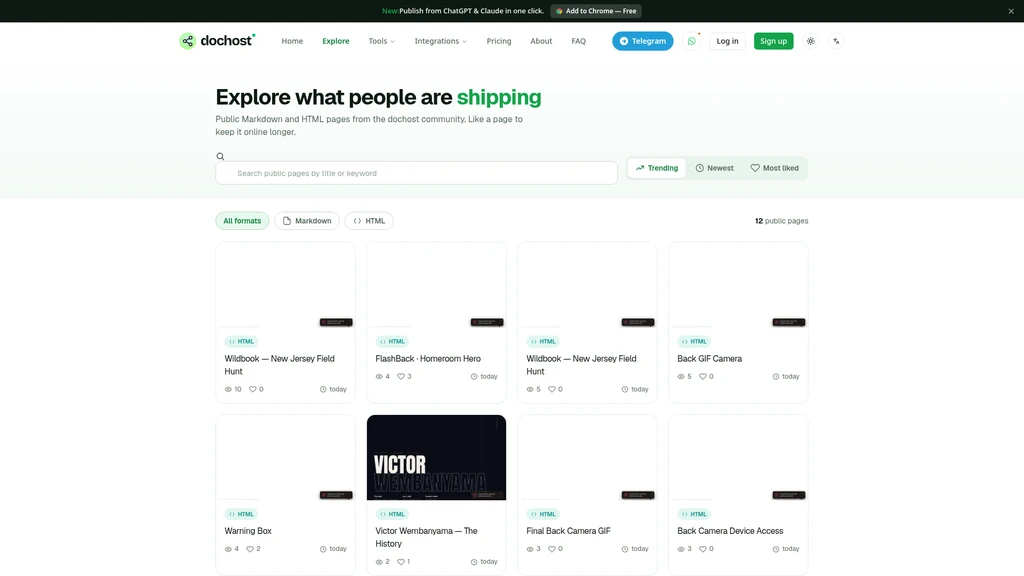
Behind the scenes, every upload is automatically screened. Malicious content gets removed before it ever reaches the public Explore section (https://dochost.io/explore), which showcases trending and most-viewed pages. That keeps the platform trustworthy and the community content safe to browse.
dochost was also built with the AI era in mind. When ChatGPT, Claude, or Cursor hands you HTML or Markdown, you can paste it and get a live link immediately — no repository setup, no CMS configuration. It's a publishing shortcut designed for your existing workflow, not a new system to learn.
The free tier gives you 10 live pages with links lasting 7 days, plus unlimited Markdown and HTML links. For most casual sharing needs, that's genuinely enough to get started today.
dochost's Core Features
Let's walk through what dochost actually does, framed around how you'll use it day to day — not just as a feature checklist.
HTML host and Markdown host in one place. You can use dochost to paste either format. As a Markdown host, it renders your content to HTML with GitHub-flavored styling — so tables, code blocks, and headings all look the way you've come to expect from GitHub docs. As an HTML host, it serves your page exactly as written, byte-for-byte, with inline CSS and JavaScript intact.
Live Markdown preview as you type. No guesswork about how your document will look once published. You can watch the Markdown render to HTML in real time as you write, make adjustments, and publish only when you're satisfied. That's a genuinely useful difference from pasting final text into a tool and hoping.
Free with no signup. Get a link instantly. No account creation, no email verification, no waiting for a confirmation link. For quick sharing, that friction-free entry point matters — you're literally seconds from a live page.
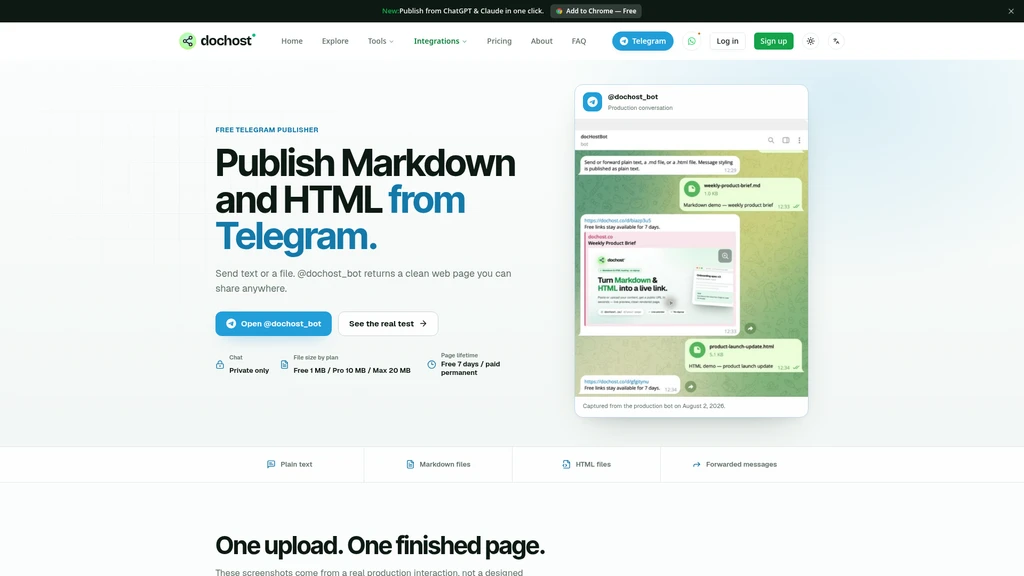
Publish straight from Telegram. For teams that live in chat, dochost offers a bot workflow: forward text or attach a Markdown or HTML file to @dochost_bot, and it replies with a clean link you can share anywhere. No need to leave your messaging app.
Publish from your AI assistant via MCP. The dochost MCP server connects to Claude, ChatGPT, Cursor, Claude Code, Windsurf, and any other MCP client. Your AI assistant gains a publish tool, so you can simply ask it to share a document and it hands back a live dochost link — no copy-paste, no separate dashboard. This is full HTML support, not Markdown-only, and secure OAuth sign-in means no API keys to leak.
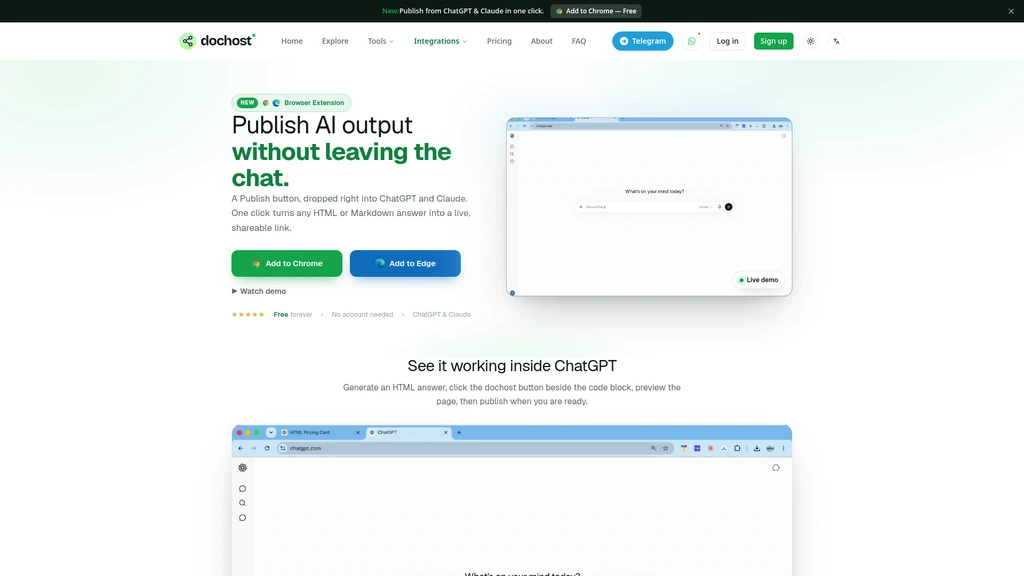
Chrome extension for ChatGPT and Claude. Install the dochost Chrome extension and a "Publish" button appears inside AI chat. Any HTML or Markdown answer becomes a live link in one click, right where the answer renders. Free to use with no account needed for v1.
Zero-friction sharing: paste or upload, get a live link in seconds, no account required
Dual format support: full HTML and Markdown, so you're never forced into one workflow
AI-native integrations: MCP server and Chrome extension remove the copy-paste step entirely
Free tier is genuinely usable: 10 live pages and unlimited links at $0
7-day link expiry on free plan: casual sharing needs to be re-uploaded or extended
Single-file focus: relative paths to separate files won't work unless uploaded — content should be self-contained
Who's Using dochost
The best way to know if dochost fits your workflow is to look at how different teams are actually putting it to work.
Front-end developers use dochost as a lightweight way to share landing pages and prototype snippets with clients. Instead of spinning up a temporary server or committing to a hosting provider for a one-off demo, they paste HTML with inline CSS and JS and share the link. The client sees the page as intended, and the feedback loop stays fast — no deployment talk to wade through.
Technical writers and educators turn Markdown notes, documentation, or tutorial drafts into clean, GitHub-styled HTML pages. For a lesson plan, a course handout, or a set of release notes, the live Markdown preview lets them verify the final look before sharing it with students or readers.
AI power users get a live link for ChatGPT or Claude output without copy-pasting into a separate tool. Connecting the MCP server makes publishing automatic — you stay inside your assistant's interface, and the link comes back as part of the flow. If you're iterating with the AI, this removes a genuine source of friction.
Teams doing rapid collaboration take advantage of the Explore section to surface trending and most-viewed HTML and Markdown pages. It's a lightweight discovery tool — useful when a team wants to see what colleagues are working on or what's getting attention this week.
Support teams share formatted pages instead of pasting raw text into chat. Code blocks, tables, and headings render correctly, which means the person receiving the link sees the same structured document you intended — not a wall of escaped characters.
For single self-contained pages, the free tier is genuinely enough. Upgrade to Pro only when you need permanent links, a custom domain, or the analytics dashboard.
Quick Start
Getting your first link live takes under a minute. Here's the full path.
Step 1 — Add your content. Go to https://dochost.io/#share and paste HTML or Markdown, or upload an .html or .md file from your machine.
Step 2 — Preview before you publish. Watch the live Markdown preview render in real time. If you're uploading HTML, you can verify the page serves exactly as written — inline styles and scripts included.
Step 3 — Choose visibility. Select Private for a link-only page that stays hidden from public browsing, or Public to appear on the Explore section alongside trending and most-viewed pages.
Step 4 — Share the link. dochost auto-generates a dochost.co/d/... URL based on the file name. Copy it, paste it into Slack, email, or a text message, and you're done.
For AI workflows. If you're publishing from within an assistant, connect the dochost MCP server to Claude, ChatGPT, Cursor, Claude Code, or Windsurf. Your assistant then has a publish tool built in — ask it to share a document and it returns a live link. Alternatively, install the Chrome extension to add a one-click "Publish" button inside ChatGPT and Claude chat.
Keep everything inline or use absolute URLs / data URIs for images. Relative paths to separate files won't work unless those files were uploaded too — so export single self-contained pages to render exactly as they do on your machine.
The beauty here is the absence of setup. There's no repository to initialize, no deploy configuration, no DNS to adjust. You paste or upload, verify the preview, choose your visibility, and share.
dochost's Pricing Plans
dochost's pricing philosophy is straightforward: keep casual sharing free, and charge only when you need permanence, scale, or customization. Most people can start on the free tier today and never look back.
Here's how the three plans compare:
Plan | Price | Live pages | Link duration | Page size | Key features | Best for |
|---|---|---|---|---|---|---|
Free | $0 | 10 | 7 days | 1 MB | MCP publishing, unlimited HTML/Markdown links, likes & view counts, no branding | Casual sharing, quick links, trying out the platform |
Pro | $4.92/mo ($59/year) | 200 | Permanent | 10 MB | Everything in Free + custom slug, password protection, analytics dashboard, custom domain, priority support | Professionals who need permanent links and dashboards |
Max | $11.25/mo ($135/year) | Unlimited | Permanent | 50 MB | Everything in Pro with unlimited pages and larger files | Heavy publishers, teams, and production use |
Free gives you 10 live pages with links lasting 7 days, 1 MB per page, MCP publishing, and unlimited Markdown and HTML links — with likes, view counts, and no branding. For a one-off landing page or a quick doc share, that's everything you need.
Pro (the most popular tier) raises the ceiling: 200 live pages, permanent links, 10 MB per page, and unlocks the customization layer — custom slug, password protection, an analytics dashboard, a custom domain, and priority support. It's $4.92 per month billed yearly, and you get 7 days free with no credit card required.
Max removes the limits entirely: unlimited live pages, permanent links, 50 MB per page, and every Pro feature included. At $11.25 per month (billed yearly at $135), it's for teams and heavy publishers who want scale without counting pages.
We suggest starting with the free tier if you're sharing self-contained pages occasionally. Upgrade to Pro when you need links that never expire, a custom domain, or the analytics dashboard to see who's viewing your pages. Choose Max if you're publishing at volume or need larger files (up to 50 MB).
Don't forget — any link on any plan can be extended to 30–365 days from just $2.99, even on the free tier. That's a handy middle ground if you need a page to outlive the standard 7 days but aren't ready for a full plan.
Create a free account only if you want permanent links, a custom domain, analytics, or a single dashboard managing every page in one place. Otherwise, the no-signup path serves you fine.
FAQ
How do I turn HTML into a URL?
Paste your HTML or upload an .html file, and dochost hosts it as an HTML-to-URL link in seconds. It serves the page exactly as written, with inline CSS and JavaScript intact — no account, no build step required.
How do I convert Markdown to HTML?
Paste Markdown or upload a .md file, watch the live preview render in real time, and dochost serves the converted HTML at a clean link. It uses GitHub-flavored styling, so tables, code blocks, and headings look polished automatically.
Is dochost a free HTML host and Markdown host?
Yes. Free HTML hosting and Markdown hosting require no signup at all. You only need an account if you want permanent links, a custom domain, analytics, or a single dashboard for every page.
How long do my pages stay live?
Free links last 7 days, with or without an account. Any link can be extended to 30–365 days for $2.99, and Pro and Max plans keep every page live permanently.
Can I get a live Markdown preview before publishing?
Yes. The Markdown preview renders to HTML as you type. Choose Private for a link-only page, or Public to appear on Explore.
Can AI agents turn HTML to URL through an API?
Yes. The public API needs no key — POST HTML or Markdown and get a link back. It's built for AI agents that host HTML online or render Markdown to HTML automatically, and it works with the MCP server for Claude, ChatGPT, Cursor, and other assistants.
How do I publish an HTML website for free?
Paste the page or upload the .html file and publish — the returned link is the live site. For a single self-contained page, that's the whole job. Free pages stay live for 7 days; a paid plan keeps them online permanently under a slug you choose.
Can I upload an HTML file with images and CSS?
Yes, as long as they travel with the page. Inline style and script blocks work, as do images referenced by an absolute URL or a data URI, because dochost serves files byte-for-byte. Relative paths to separate files that were never uploaded will not work — export the page as a single self-contained file to render exactly as it does on your machine.
Related Content

Copy.ai Review 2026: AI Copywriting Made Easy
Our honest Copy.ai review for 2026. We test Content Agents, AI Workflows, pricing ($29-$249/mo), and compare it to Jasper and Writesonic. Find out if it's worth it for your marketing team.

Rytr Review 2026: Is This Budget AI Writer Worth It?
Our hands-on Rytr review for 2026. We test features, pricing, content quality, and compare it to Jasper & ChatGPT. Find out if Rytr is the best budget AI writing tool.

Word Changer - Free AI tool to rewrite and improve your writing instantly
Writing always using repetitive words or need to avoid plagiarism? Word Changer is a free AI writing assistant that instantly rewrites any text with richer vocabulary and appropriate tone. Get multiple versions with one click, adjust formality level, check readability - all for free!

Unite - AI-powered platform for romantic fantasies and dream couple moments
Explore romantic fantasies and create special moments for your dream couple. This AI-powered platform lets you generate personalized romantic content and experience exclusive AI-created romantic experiences.
Comments