Product Overview
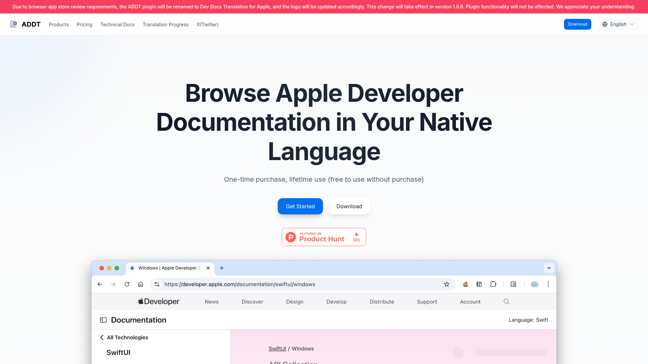
The Dev Docs Translation for Apple is a browser extension designed to automatically translate Apple developer documentation into your native language. It helps developers overcome language barriers and improve efficiency when working with Apple's technical documentation. The tool supports multiple languages, including Japanese, Chinese, Traditional Chinese, and Korean, with more languages under development.
!Product Overview
Features
- Automatic Translation: Translates Apple developer documentation in real-time.
- Multi-language Support: Supports Japanese, Chinese, Traditional Chinese, and Korean.
- Bilingual Display: Compare original and translated text side-by-side.
- Customizable Styles: Adjust font, color, and size to suit your preferences.
- Lifetime Access: One-time purchase for unlimited use.
How It Works
The extension uses a request interception decorator pattern to analyze and translate page content. It leverages AI models like QWen2.5 and Grok-2 for accurate translations, with manual reviews for quality assurance. The plugin does not modify page elements, ensuring a seamless user experience.
```mermaid flowchart TD A[User visits Apple docs] --> B[Extension intercepts request] B --> C[Analyzes page content] C --> D[Translates using AI models] D --> E[Displays translated content] ```
!Technical Implementation
Pricing
Choose the plan that fits your needs:
| Plan | Price | Features | |---------------------|---------|-----------------------------------------------| | Single Device | $19.9 | Use on one device | | 2 Devices | $29.9 | Use on two devices, priority support | | 4 Devices (Team) | $39.9 | Use on four devices, one-on-one support |
!Pricing Plans
Usage Guide
- Install Extension: Download from the Chrome Web Store.
- Activate (Optional): Enter the activation code after purchase.
- Select Language: Choose your target language in the extension settings.
- Start Using: Visit Apple developer docs to see translations.
Advantages and Disadvantages
Advantages
- Efficiency: Saves time by eliminating language barriers.
- Customization: Tailor the display to your preferences.
- Lifetime Access: No recurring fees.
Disadvantages
- Limited Languages: Currently supports only a few languages.
- Manual Review Required: Some translations may need corrections.
Case Studies
Thousands of developers worldwide use this tool to enhance their workflow. For example, a Japanese iOS developer reported a 40% increase in productivity after using the extension.
!Case Study
Support and Services
For assistance, email service@appledocs.dev. Support is available weekdays and weekends.
FAQs
<faqs> <faq index="1" question="Which languages are supported?">Japanese, Chinese, Traditional Chinese, and Korean.</faq> <faq index="2" question="Is there a free trial?">Yes, the extension can be used for free with limited features.</faq> <faq index="3" question="How do I activate the full version?">Enter the activation code provided after purchase.</faq> <faq index="4" question="Can I use it on multiple devices?">Yes, with the appropriate license plan.</faq> <faq index="5" question="Is my data secure?">Yes, the extension does not store personal data.</faq> <faq index="6" question="How often are translations updated?">Translations are updated regularly with manual reviews.</faq> <faq index="7" question="What browsers are supported?">Currently supports Chrome, with more browsers coming soon.</faq> </faqs>




Comments